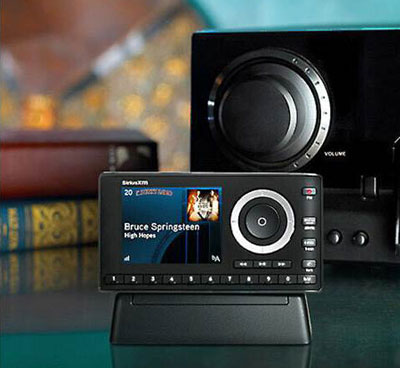
Welcome To Radioxmcar.com
Satellite Radio System
Satellite Radio in a car is a satellite radio system (now part of Satellite Radio) that lets you listen to a wide range of digital radio channels through your car’s audio system using satellites instead of local FM/AM towers.
How it works
What you get
Hundreds of channels: music (many are commercial-free), news, sports, talk, comedy, weather, and traffic.
Nationwide coverage across the U.S. (and parts of Canada), so stations don’t change as you drive.
Better sound quality than AM/FM and fewer interruptions.
Common uses
Long road trips 🚗
Live sports coverage
Ad-free music without relying on mobile data
Subscription & activation
New cars often include a free trial (e.g., 3–12 months).
After the trial, you choose a monthly or annual plan to keep listening.
Do you need internet?
No internet is required in the car for satellite reception.
Some cars also support the Satellite Radio app (which does use internet) for streaming when parked or on mobile devices.
If you want, tell me your car model/year, and I can explain how to check if it has Satellite Radio and how to activate or troubleshoot it.
🚗 Satellite Radio Troubleshooting
Here’s a clear, step-by-step guide toSatellite Radio troubleshooting in a car, covering the most common problems and fixes.
1️⃣ No Signal / “No Signal” Message
Causes
Blocked satellite view
Damaged or loose antenna
Parking in garage, tunnel, or near tall buildings
Fix
Move the car to an open outdoor area
Make sure the roof antenna is not damaged or covered
Turn the car off → wait 2 minutes → restart
If aftermarket radio: check antenna cable connection behind the unit
2️⃣ “Check Antenna” Error
Causes Antenna unplugged, shorted, or broken Fix Inspect the antenna on the roof (no cracks, bends, or cuts) If magnetic antenna: reseat it firmly Check antenna cable (especially if recently serviced) If error persists → antenna replacement likely needed
3️⃣ Channel Not Available / “Subscription Required”
Causes Subscription expired Radio not activated Signal refresh needed Fix Tune to Channel 0 and note your Radio ID Ensure your subscription is active Request a signal refresh Leave the car ON, outdoors, on channel 1 for 10–15 minutes
4️⃣ Audio Cuts In and Out
Causes Temporary signal blockage Weak antenna signal Fix This is normal near bridges, trees, or buildings If constant: antenna may be loose or failing Try another location to confirm
5️⃣ Radio Frozen or Not Responding
Fix Turn vehicle OFF Open driver door and wait 2–5 minutes Restart vehicle If removable fuse available → pull XM/Radio fuse for 1 minute
6️⃣ Missing Channels
Causes Lower subscription plan Incomplete channel update Fix Perform a signal refresh Verify your plan includes those channels Some channels are streaming-only, not satellite
7️⃣ Sound Issues (Low Volume / Distortion)
Fix Switch between FM/AM → Radio to reset audio path Check audio settings (EQ, balance, fade) If aftermarket system: verify correct input selected
8️⃣ After Battery Replacement or Service
Issue Satellite Radio stops working suddenly Fix Radio may need re-authorization Do a signal refresh Keep car running outdoors for 15 minutes
9️⃣ Satellite Radio App vs Car Radio Confusion
Car radio = satellite signal (no internet) App = requires internet + separate login App issues do NOT affect in-car satellite radio
📡 What Satellite Radio Services Include

🎵 Music Channels
150+ music channels Many commercial-free Genres: Pop, Rock, Hip-Hop, Jazz, Classical, Country, EDM, Bollywood, and more Artist-hosted and curated stations
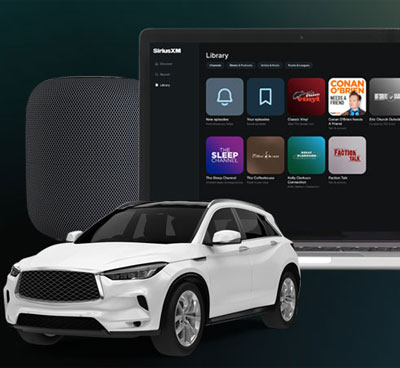
🚗 Where You Can Use Satellite Radio
Cars & trucks (factory-installed or aftermarket radios) Home radios Satellite Radio mobile app (smartphones, tablets) Smart TVs & smart speakers Online streaming via browser
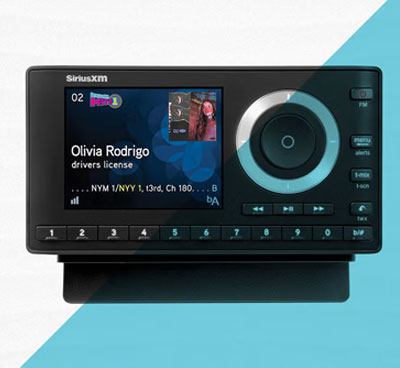
✅ Key Benefits
No need for mobile internet in the car Consistent nationwide signal Exclusive content you can’t get on FM/AM Better audio quality than traditional radio